The best keyboards for work balance a comfortable layout and useful controls with the space and connections your desk needs. These picks range from quiet full-size wireless models to compact mechanical boards, so choose based on how you type and which keys you use daily.
Quick Top Products
JLab JBuds Wireless Keyboard

- 95 soft-touch keys with a number pad and media knob.
- Switch among up to three device connections.
- Rechargeable battery rated for up to 30 days of wireless use.
Best For: A multi-device desk setup that benefits from a number pad and quick media controls.

JLab Epic Wireless Keyboard

- A full-size layout provides 108 backlit keys.
- Soft-touch keys and a metal base suit desk typing.
- Bluetooth pairs with up to three devices, with a dongle option.
Best For: A full-size wireless workstation where backlighting and multi-device switching are useful.
SteelSeries Apex 3 TKL

- Tenkeyless form keeps the keyboard compact.
- Whisper-quiet switches and anti-ghosting support accurate, quieter typing.
- A clickable volume roller and media keys provide direct controls.
Best For: A quieter, compact wired setup that keeps arrow keys and media controls close at hand.
SteelSeries Apex 3

- Whisper-quiet switches are designed for nearly silent use.
- The magnetic wrist rest provides palm support.
- Dedicated multimedia controls adjust volume and settings.
Best For: A desk user who wants quiet switches, dedicated media controls, and included palm support.
JLab Go Wireless Keyboard
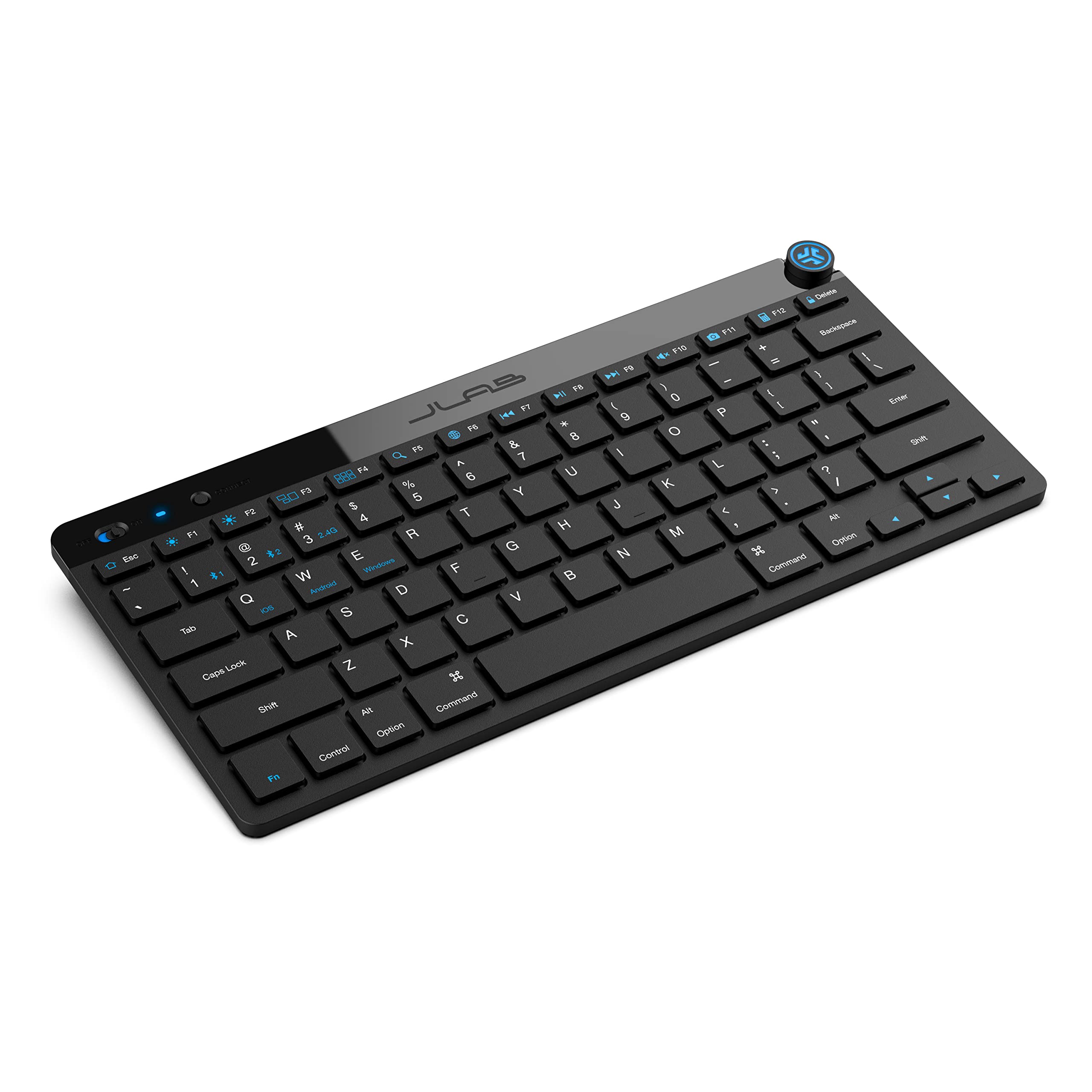
- Bluetooth or a USB dongle supports up to three saved connections.
- The low-profile design is compact and quiet.
- The supplied offer is a four-pack.
Best For: A mobile or minimalist setup that prioritizes a small, quiet keyboard and device switching.
SOLAKAKA KI99 Pro

- Silent switches and five noise-reducing layers target quieter typing.
- The 96% layout includes compact number-pad access.
- Tri-mode connections include Bluetooth, 2.4G, and Type-C.
Best For: A wireless mechanical keyboard user who wants quiet switches, a number pad, and customization.
SOLAKAKA A75 Wireless Keyboard
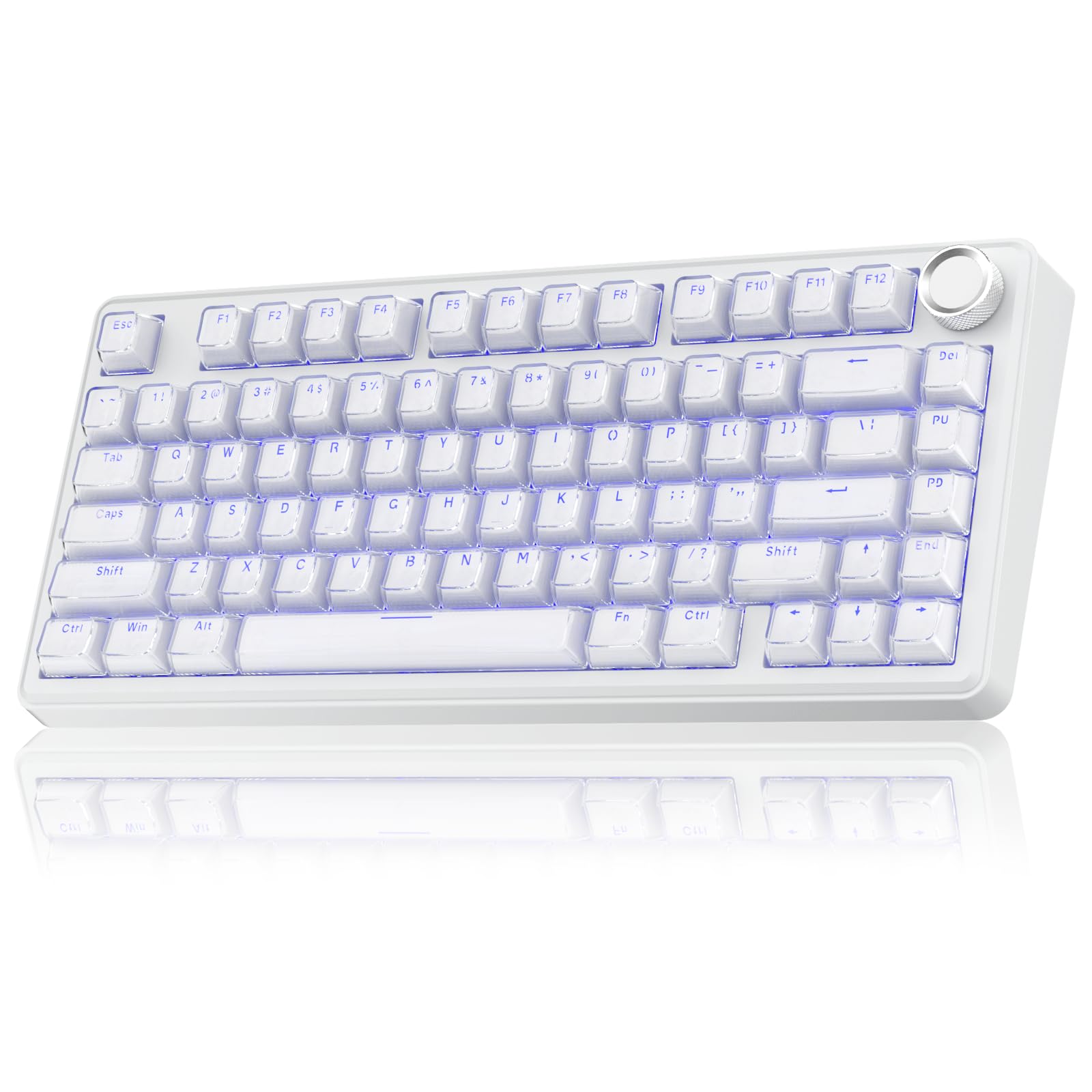
- The keyboard supports tri-mode connectivity: 2.4GHz wireless, BT5.0, and USB-C wired connections.
- Tri-mode connectivity supports up to five devices.
- A multifunction knob adjusts lighting and volume, with a long press to switch between gaming and office modes.
Best For: A compact work desk where arrow keys, a volume knob, and wireless options are priorities.
SOLAKAKA A75 75% Wireless Mechanical Keyboard
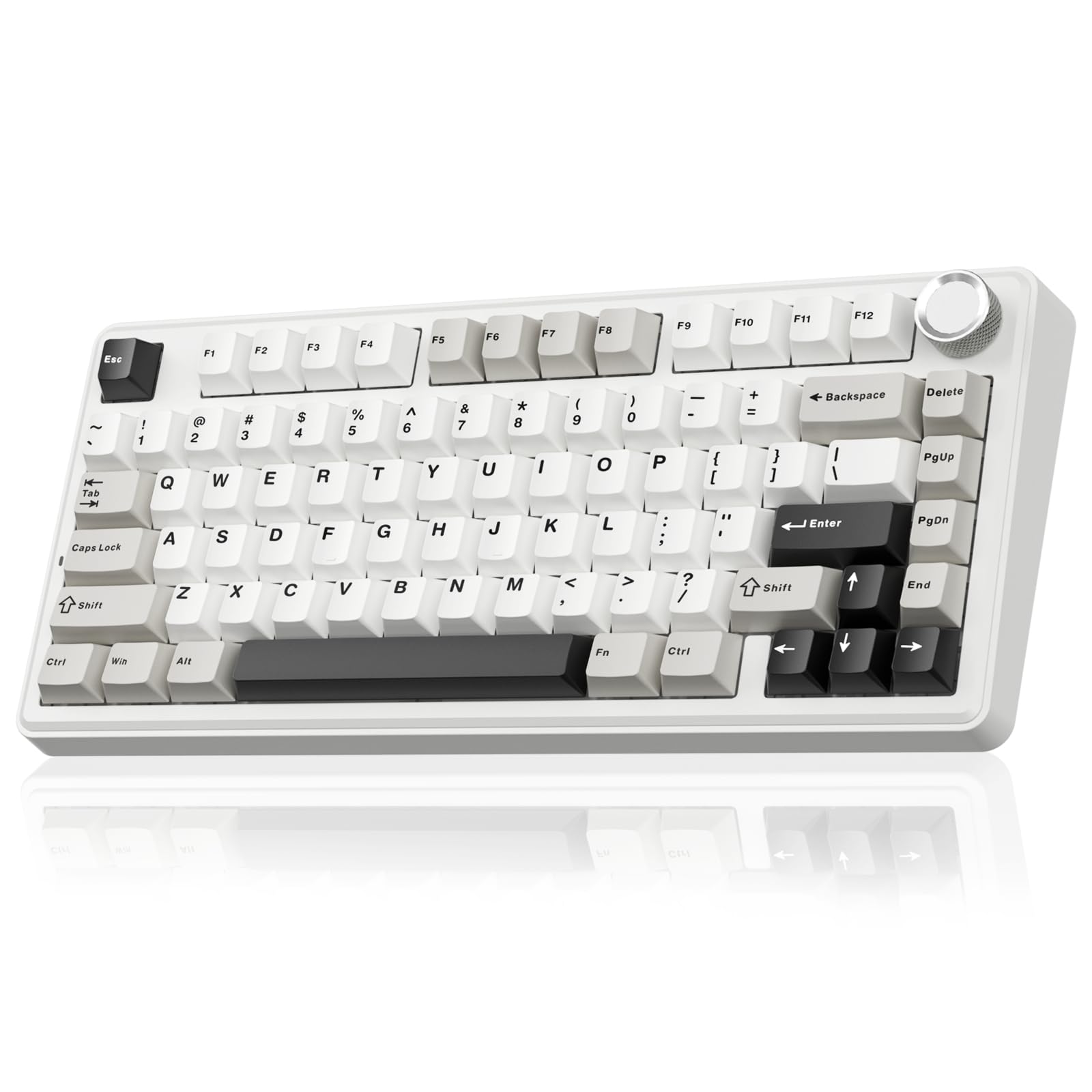
- The 81-key 75% layout retains essential arrow keys.
- PBT keycaps are described as sweat-resistant and fade-proof.
- Three connection modes support up to five devices.
Best For: A compact mechanical setup where durable-feeling keycaps and five-device switching are useful.
SOLAKAKA KI99 Pro 96% Wireless Keyboard
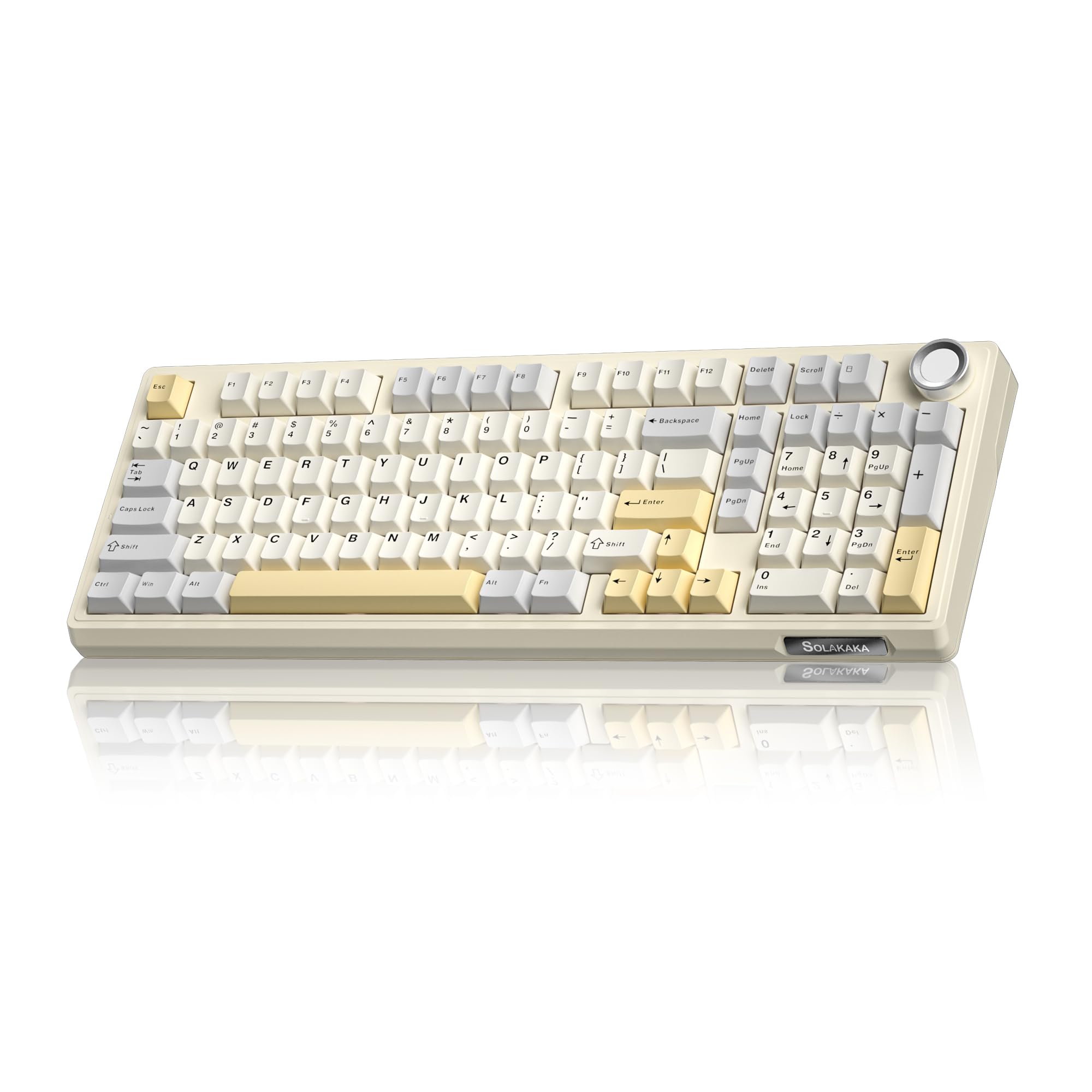
- A 96% layout keeps most full-size functions while saving desk space.
- A 10,000 mAh battery and three connection modes support wireless or wired use.
- Hot-swap support allows switch replacement without soldering.
Best For: A desk worker who wants a compact number-pad layout and configurable mechanical switches.
SOLAKAKA A99 Pro Mechanical Keyboard
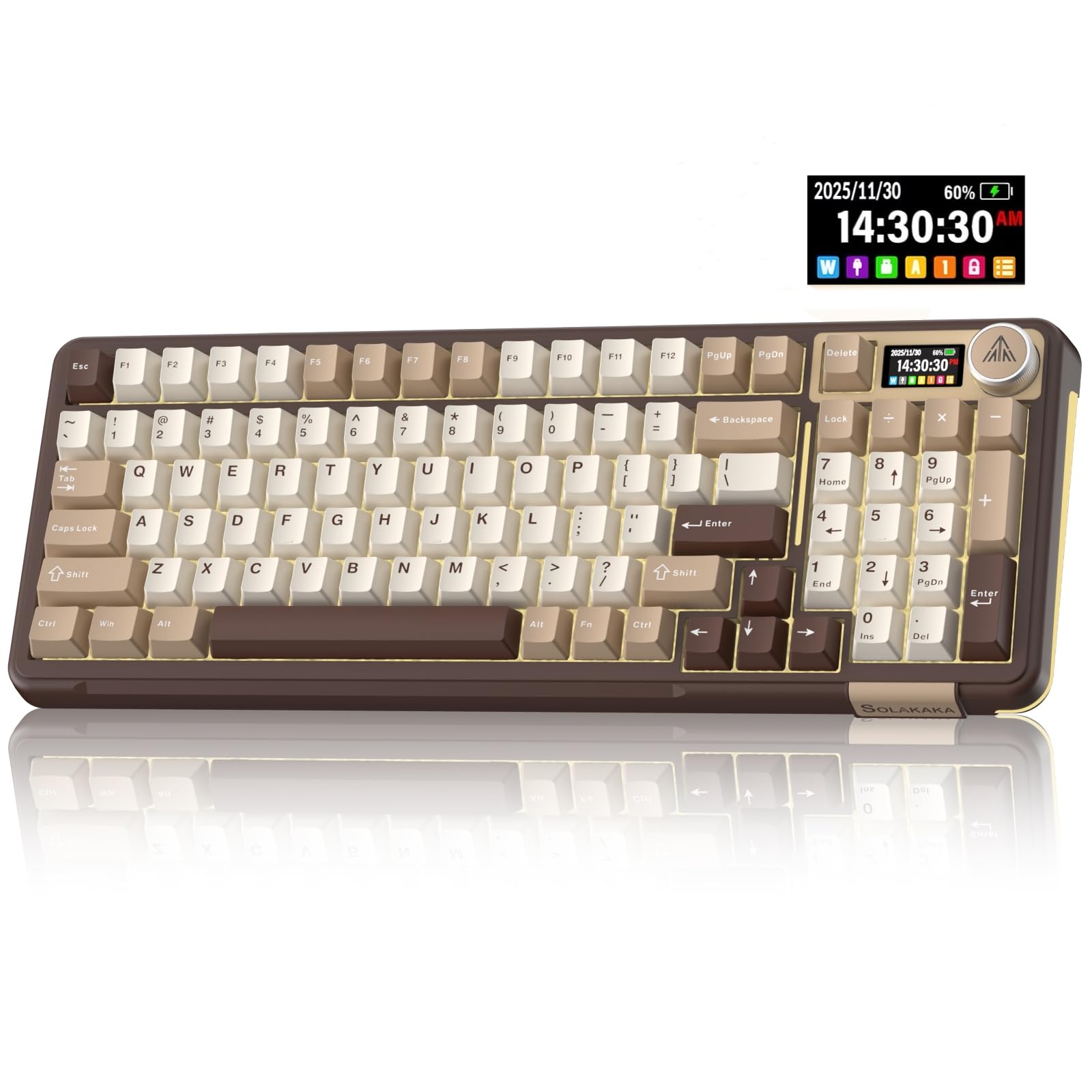
- The LCD shows battery, connection, and system information.
- The knob can switch systems and adjust volume or lighting.
- Tri-mode connections support up to five devices.
Best For: A multi-device desk setup that benefits from a status screen, knob, and hot-swappable keys.
Wireless Workday Controls
JLab JBuds Wireless Keyboard, 95 Key, Multi-Device Bluetooth and USB dongle, Soft Touch Keys, Media knob, Custom Profiles, Black
The JLab JBuds pairs a familiar numeric pad with a slim layout that takes up less desk space than a conventional full-size board. Its 95 soft-touch keys are designed for quiet typing, and the dedicated media knob handles volume and playback without leaving the keyboard.
Bluetooth 5.2 and a USB wireless dongle support up to three connections, useful when work shifts between a computer and other devices. The rechargeable battery is rated for up to 30 days of wireless use.
Choose it for an office-focused feature set; check which connection method suits your setup and whether the reduced key count includes the keys you rely on.
Best For: A multi-device desk setup that benefits from a number pad and quick media controls.
| Pros | Cons |
|---|---|
|
|
Choose the JBuds for a quieter wireless setup with a number pad, device switching, and a direct way to adjust media. Its 95-key layout is compact yet complete by design, but check that it includes the navigation and function keys you expect before replacing a full-size board.
The notes give a battery-use estimate but no physical dimensions or backlighting detail, so confirm those fit requirements separately.
Full-Size Backlit Typing
JLab, Epic, Wireless Keyboard, Bluetooth 5.2, USB Dongle, Multi-Device, Backlit, 108 Keys, Black
The JLab Epic keeps a full-size 108-key layout and adds backlighting across every key, giving it a clear role for work at a dim desk. Soft-touch keys are intended for comfortable, quiet typing, while a built-in smart media knob gives quick volume control.
Bluetooth 5.2 can pair with up to three devices, and a USB wireless dongle offers another connection route. Its rechargeable 2000 mAh battery avoids routine disposable-battery changes.
The metal base is a practical fit for a fixed workstation. Consider it when you want familiar full-size access; confirm the keyboard's physical footprint and whether its profile app works with your operating system.
Best For: A full-size wireless workstation where backlighting and multi-device switching are useful.
| Pros | Cons |
|---|---|
|
|
Pick the Epic if you need a conventional full-size layout, backlighting, and wireless switching among work devices. The number pad and full key count may suit spreadsheet entry better than the compact JLab JBuds, while the JBuds has a stated battery-life estimate and a smaller key count.
Check desk space before buying, and verify whether you need a wired mode, which is not specified here.
Compact Quiet Desk Setup
SteelSeries Apex 3 TKL RGB Gaming Keyboard – Tenkeyless Compact Form Factor - 8-Zone RGB Illumination – IP32 Water & Dust Resistant – Whisper Quiet Gaming Switch – Gaming Grade Anti-Ghosting,Black
The Apex 3 TKL removes the number pad to free up desk space while retaining a tenkeyless layout and dedicated media controls. Its whisper-quiet switches are designed for near-silent use, a useful fit for shared work areas or calls.
A clickable volume roller and media keys make playback adjustments quick, and the IP32 water and dust resistance addresses minor desk spills and particles without implying full waterproofing. RGB lighting is available if visual customization matters.
Choose this model when quiet typing and a compact shape take priority over a number pad; check whether its gaming-oriented feature set and wired connection match your office routine.
Best For: A quieter, compact wired setup that keeps arrow keys and media controls close at hand.
| Pros | Cons |
|---|---|
|
|
Choose the Apex 3 TKL if reducing keyboard width and typing quietly matter more than numeric entry. It retains media controls and adds a stated IP32 resistance level, while the wireless JLab options are better suited to cable-free device switching.
The record does not identify wireless connectivity, so confirm the connection method before purchase. Its spill resistance is a limited feature, not a reason to expose it to liquids.
Quiet Typing With Wrist Rest
SteelSeries Apex 3 RGB Gaming Keyboard – 10-Zone RGB Illumination – IP32 Water Resistant – Premium Magnetic Wrist Rest (Whisper Quiet Gaming Switch)
The full-size Apex 3 combines whisper-quiet switches with a magnetic wrist rest, so it suits a fixed desk where typing comfort and low sound are priorities. Dedicated multimedia controls provide quick volume and settings adjustments.
Its IP32 water resistance is intended to help prevent accidental spill damage, and 10-zone RGB illumination offers lighting effects without changing the core work features. This is a wired gaming-branded keyboard rather than a multi-device wireless office model.
Consider it if you prefer a number pad and a wrist rest; check the physical desk fit and whether its connection and key feel suit your workday.
Best For: A desk user who wants quiet switches, dedicated media controls, and included palm support.
| Pros | Cons |
|---|---|
|
|
This Apex 3 fits a full-size desk where a number pad, wrist rest, and quieter switches matter more than wireless portability. Its spill resistance is a practical extra, though it does not establish that the keyboard is waterproof.
Compared with the TKL version, this model emphasizes palm support and a full-size layout; verify the footprint and connection details for your workstation before choosing it.
Compact Multi-Device Board
JLab Go Wireless Keyboard, Bluetooth and USB dongle, Multi-Device, Compact, Black (4 Pack)
The JLab Go uses an ultra-compact, low-profile key design intended to keep a desk or travel setup uncluttered. It connects by Bluetooth 5.0 or USB wireless dongle and can save up to three device connections, with compatibility spanning computers, tablets, and phones across several operating systems.
Its lightweight construction is aimed at travel and home-office use, and the quiet typing feel suits everyday productivity. The offer is a four-pack, making it more appropriate for outfitting several stations than buying a single replacement keyboard.
Its compact nature may mean sacrificing keys; check the exact layout before ordering for regular desk work.
Best For: A mobile or minimalist setup that prioritizes a small, quiet keyboard and device switching.
| Pros | Cons |
|---|---|
|
|
Select the Go when compact dimensions and switching among devices are more important than a full-size layout. The four-pack could work for a team, classroom, or several stations, but it is a poor fit if you only want one keyboard.
The record calls the design compact and low-profile without giving its key count or exact layout details. Check that it includes the keys needed for your daily shortcuts before buying.
Quiet Wireless Mechanical Layout
SOLAKAKA KI99 Pro Wireless Mechanical Keyboard with Quiet Switch, Hot Swappable Pre-Lubed Switches with RGB Backlit, Gasket Structure Computer Gaming Keyboard (BlackBlue, Silent Switch)
The KI99 Pro pairs a compact 96% layout with a number pad and a knob for volume, media, and lighting adjustments. Its silent switches and five noise-reducing layers are aimed at reducing typing noise while retaining a mechanical keyboard's customization options.
It supports Bluetooth, 2.4 GHz wireless, and USB-C connections, and the 10,000 mAh battery is intended to reduce charging frequency. Hot-swappable switches allow tactile changes without soldering, while PBT keycaps and programmable software round out the feature set.
Choose it for quiet mechanical typing; confirm software compatibility and the preferred connection mode for your work devices.
Best For: A wireless mechanical keyboard user who wants quiet switches, a number pad, and customization.
| Pros | Cons |
|---|---|
|
|
Choose the KI99 Pro if you want a quieter mechanical board that still keeps a number pad and supports multiple connection types. Its layout is more compact than a typical full-size board, while the JLab Epic provides a conventional full-size backlit option without hot-swap customization.
The battery capacity is given, but runtime is not, so do not infer a specific number of workdays between charges. Check the software and OS support you need.
Compact Knob and Wireless Modes
SOLAKAKA A75 Wireless Gaming Keyboard with Multifunction Knob, BT5.0/2.4GHz/USB-C, 75% Mechanical Keyboard, Hot-Swappable, Gasket Creamy Keyboard with RGB Backlit, Crystal Keycaps, for PC/Mac/PC
The SOLAKAKA A75 has an 81-key, 75% layout that keeps arrow keys while saving space by leaving out less frequently used keys. Its multifunction knob switches between office and gaming modes; in office mode it can mute audio and adjust volume.
Bluetooth 5.0, 2.4 GHz wireless, and USB-C wired connections support up to five devices. A gasket structure and multiple filling layers are designed for a softer, quieter typing feel, and hot-swappable switches allow later customization.
The compact layout is the main tradeoff for office use, so check whether you can work comfortably without a number pad and the omitted keys.
Best For: A compact work desk where arrow keys, a volume knob, and wireless options are priorities.
| Pros | Cons |
|---|---|
|
|
The A75 suits a compact workstation if arrow keys and a volume knob are enough, but its 81-key format is a meaningful compromise for spreadsheet-heavy work because it does not preserve a full-size layout. Its tri-mode connections and switch customization make it flexible for a desk shared across devices.
The record does not state battery runtime, and the software is Windows-only and wired-mode dependent according to the notes; check whether those limits matter to your setup.
Compact Board With PBT Keycaps
SOLAKAKA A75 75% Wireless Mechanical Keyboard, Hot Swappable Gaming Keyboard with Multifunction Knob & RGB, Gasket Mounted Creamy Keyboard, PBT Keycaps, Compact Layout for Win/Mac/PC
This A75 variant keeps the 75% layout and 81-key count, with arrow keys, a multifunction knob, and PBT keycaps. The knob can switch between gaming and office modes, including volume adjustment in office mode.
Bluetooth 5.0, 2.4 GHz, and USB-C support up to five devices, while hot-swap functionality allows 3-pin and 5-pin switches to be changed without soldering. Its gasket structure is designed to soften keystrokes and reduce internal noise.
It is a space-saving choice for general typing, but the compact layout omits keys found on full-size boards; consider your number-pad and navigation-key needs before choosing it.
Best For: A compact mechanical setup where durable-feeling keycaps and five-device switching are useful.
| Pros | Cons |
|---|---|
|
|
Choose this A75 when a compact layout, PBT keycaps, and wireless device switching are the priorities. It shares the 75% form and office-mode knob with another A75 candidate, so avoid treating those core features as a reason to buy both.
This record specifically identifies PBT keycaps and a 4000 mAh battery, but does not provide runtime. Check whether its 81 keys cover your daily work before trading away a number pad.
96% Layout With Customizable Switches
SOLAKAKA KI99 Pro 96% Wireless Gaming Keyboard, RGB Creamy Keyboardw with Knob, Hot-Swappable Pre-Lubed Switches, Gasket Structure Mechanical Keyboards (Beige-White, Non-Silent Version)
The KI99 Pro combines a 96% layout with a number pad, multifunction knob, and multiple connection modes. Bluetooth 5.0, 2.4 GHz wireless, and USB-C wired connections make it adaptable to different desks and devices.
A 10,000 mAh battery is included, though runtime is not specified. The gasket structure and five layers of noise-reducing material aim to soften keystrokes and reduce vibration, while hot-swappable switches offer customization without soldering.
Its PBT keycaps and programmable driver add further options. Choose it if number entry matters but you want a smaller footprint than a full-size board; verify its switch noise and software support fit your office.
Best For: A desk worker who wants a compact number-pad layout and configurable mechanical switches.
| Pros | Cons |
|---|---|
|
|
This KI99 variant fits people who use a number pad but want a more compact layout and switch customization. It offers wireless and wired modes plus a large stated battery capacity, but capacity alone does not establish how long it lasts.
The quiet-switch KI99 candidate makes an explicit silent-switch feature its focus; this record does not identify the switch as silent. Confirm switch type and software compatibility before purchase.
Screen and Knob for Device Switching
SOLAKAKA A99 Pro Mechanical Keyboard with LCD Screen & Metal Knob, Wireless Gaming Keyboard with BT5.0/2.4GHz/USB-C, Hot Swappable Creamy Keyboard, Gasket Structure, RGB Backlit, for Win/Mac
The SOLAKAKA A99 Pro adds an LCD screen that can show time, battery level, connected system, and connection mode. Its metal knob provides controls for volume, lighting, and system switching.
Tri-mode Bluetooth 5.0, 2.4 GHz, and USB-C connectivity supports up to five saved devices, useful when moving between a work computer and other compatible devices. Hot-swappable switches, a gasket structure, and five cushioning layers offer configuration options and a softened typing feel.
The supplied notes do not identify its key count or layout, which makes fit harder to judge. Check the exact layout and operating system support before choosing it for daily office use.
Best For: A multi-device desk setup that benefits from a status screen, knob, and hot-swappable keys.
| Pros | Cons |
|---|---|
|
|
Choose the A99 Pro if an on-board status screen and device controls are useful at your desk. It supports several connection modes and switch changes, but the product details do not identify its key count or layout.
That makes layout verification essential before buying for work that depends on a number pad or dedicated navigation keys. Battery capacity is also not provided here.
How to Choose Keyboards For Work
How We Picked Keyboards for Work
We prioritized everyday work features present in the supplied records: a useful layout, quieter typing options, direct media controls, connection flexibility, and practical desk fit. The selection spans full-size boards with number pads, 96% layouts that retain numeric entry in a more compact form, and smaller 75% or tenkeyless designs for desks where width matters.
Wireless options earned a place when they offered clear device-switching details, while wired keyboards were included for distinct features such as quiet switches, spill resistance, or a wrist rest. Gaming labels alone were not enough: the useful picks here have work-relevant controls or typing characteristics.
Comparing Keyboards for Work
Layout is the first decision. Full-size boards such as the JLab Epic and SteelSeries Apex 3 keep number-entry access, while the JLab JBuds uses 95 keys and still includes a numerical pad.
The SOLAKAKA KI99's 96% form also retains most full-size functions. By contrast, the A75's 81-key 75% layout keeps arrows but trims other keys, and the Apex 3 TKL gives up the number pad for a narrower footprint.
Connection options also vary. JLab's wireless models support saved device connections and offer Bluetooth with a dongle, while the SOLAKAKA mechanical boards add USB-C wired mode alongside Bluetooth and 2.4 GHz.
Check that the intended operating system supports the features you need, especially when considering custom software.
| Product | Standout features | Best for |
|---|---|---|
| JLab JBuds Wireless KeyboardCheck Price |
| A multi-device desk setup that benefits from a number pad and quick media controls. |
| JLab Epic Wireless KeyboardCheck Price |
| A full-size wireless workstation where backlighting and multi-device switching are useful. |
| SteelSeries Apex 3 TKLCheck Price |
| A quieter, compact wired setup that keeps arrow keys and media controls close at hand. |
| SteelSeries Apex 3Check Price |
| A desk user who wants quiet switches, dedicated media controls, and included palm support. |
| JLab Go Wireless KeyboardCheck Price |
| A mobile or minimalist setup that prioritizes a small, quiet keyboard and device switching. |
| SOLAKAKA KI99 ProCheck Price |
| A wireless mechanical keyboard user who wants quiet switches, a number pad, and customization. |
| SOLAKAKA A75 Wireless KeyboardCheck Price |
| A compact work desk where arrow keys, a volume knob, and wireless options are priorities. |
| SOLAKAKA A75 75% Wireless Mechanical KeyboardCheck Price |
| A compact mechanical setup where durable-feeling keycaps and five-device switching are useful. |
| SOLAKAKA KI99 Pro 96% Wireless KeyboardCheck Price |
| A desk worker who wants a compact number-pad layout and configurable mechanical switches. |
| SOLAKAKA A99 Pro Mechanical KeyboardCheck Price |
| A multi-device desk setup that benefits from a status screen, knob, and hot-swappable keys. |
Choosing a Quieter Office Keyboard
Typing sound can matter in a shared workspace or during calls. The Apex 3 models specify whisper-quiet switches, while the KI99 silent-switch version combines silent switches with five noise-reducing layers.
The JLab JBuds and Epic describe soft-touch keys and quiet typing. These descriptions point to quieter-oriented designs, but no sound measurements are provided, so consider how much noise reduction matters in your actual workspace.
A mechanical keyboard can offer customization, but mechanical does not automatically mean quiet. The standard KI99 and A75 versions emphasize gasket structures and layered cushioning rather than identifying a silent switch.
If sound is your priority, favor the variant that explicitly calls out silent switches and confirm the exact version.
Wireless Keyboard Features and Desk Fit
For a desk shared among a computer, tablet, or phone, compare both connection modes and how many devices the keyboard can save. The JLab JBuds supports up to three connections; the A75 and KI99 models support up to five, with Bluetooth, 2.4 GHz wireless, and USB-C wired options.
Battery details vary: some records give capacity, some offer an estimated runtime, and several do not specify runtime at all. Do not assume capacity alone predicts time between charges.
Measure available desk space against the keyboard footprint, especially when considering a number pad or wrist rest. The records often identify layout but omit physical dimensions.
For compact keyboards, also check access to navigation, function, and number-entry keys that your workflow uses daily.
Who Should Buy Which Work Keyboard?
Choose a JLab JBuds if you want a quiet-feeling wireless board with a number pad, device switching, and media control. The JLab Epic suits someone who needs a full-size, fully backlit layout and a metal base.
For compact setups, compare the A75's retained arrow keys with the Apex 3 TKL's quiet switches and dedicated volume roller.
If you prefer mechanical switches and customization, the KI99 variants trade some office simplicity for hot-swapping, a knob, and multiple connection modes; the quiet-switch KI99 is the clearest fit for noise-sensitive use. The A99 Pro adds an LCD status screen, but confirm its layout before buying.
Choose a full-size Apex 3 when a wrist rest and IP32 spill resistance matter more than wireless device switching.