The TP-Link Archer TX20U Plus is a USB WiFi 6 adapter for desktop PCs, pairing dual-band connectivity with adjustable high-gain antennas and a one-meter cable.
This TP-Link USB WiFi 6 Adapter review looks at its connection options, setup considerations, and the buyers most likely to benefit.
Archer TX20U Plus Review Summary
The quick verdict
10,000+ ratings
Read Amazon ReviewsTP-Link Archer TX20U Plus
A practical option for Windows desktop owners who want dual-band WiFi 6, adjustable antennas, and more freedom to position an adapter.
- USB wireless adapter designed to add WiFi 6 connectivity to a desktop PC.
- Dual-band operation on 2.4GHz and 5GHz, with maximum rates of up to 574 Mbps and 1201 Mbps respectively.
- AX1800 wireless class, with support for OFDMA and MU-MIMO.
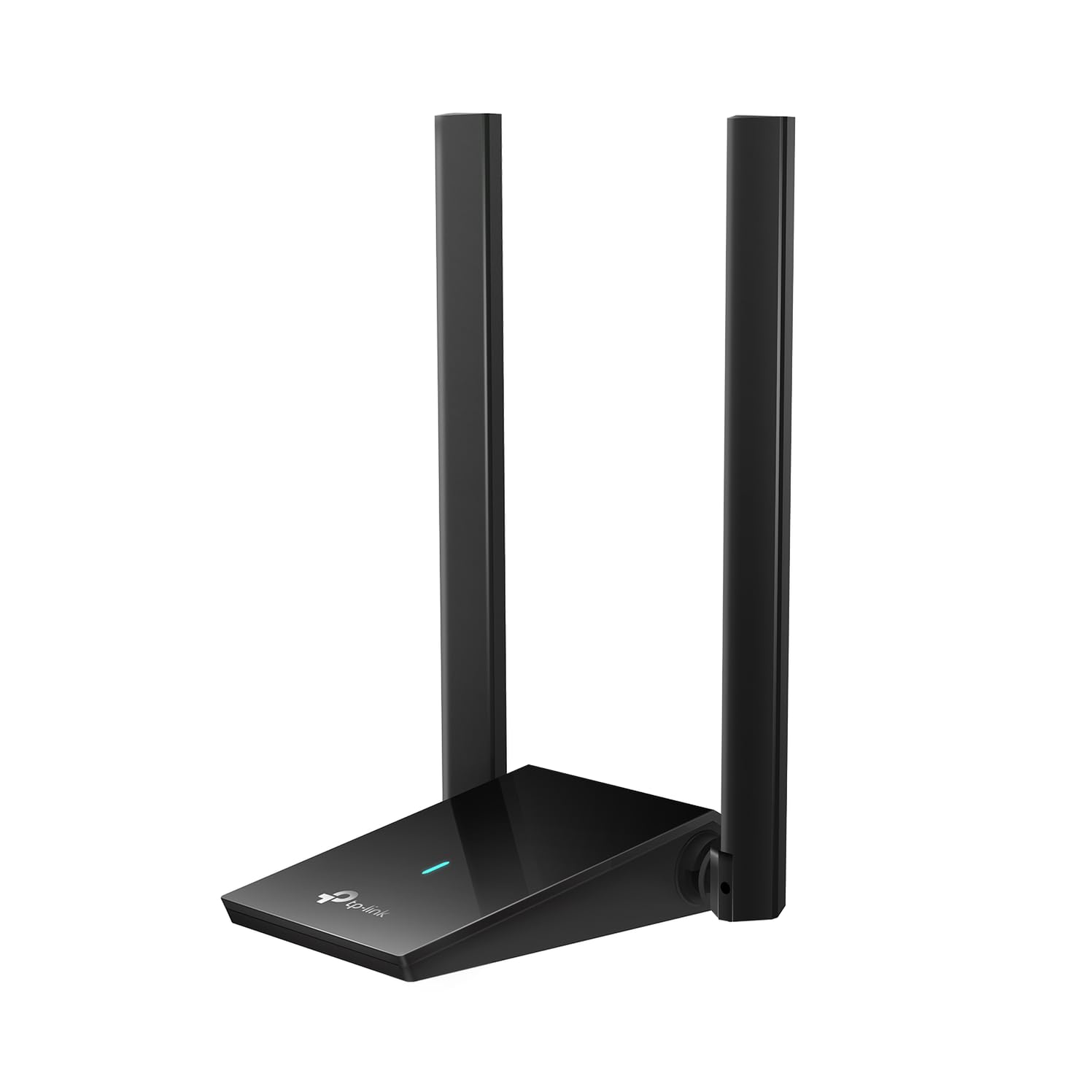
- Dual high-gain antennas with beamforming and adjustable, multidirectional positioning.

Pros
- Dual-band WiFi 6 support gives a desktop access to newer wireless features when used with a compatible router.
- The antennas adjust and the included cable extends placement options around a desktop setup.
Consider before buying
- The listed operating-system support centers on Windows 10 and 11; Mac OS use requires manual driver upload, so check the installation process for your setup.
- The adapter is a larger desktop-oriented design with separate antennas and a cable, which may be less convenient if you want a tiny device that stays flush with a laptop.
Read the full review summary
The Archer TX20U Plus gives a Windows desktop access to WiFi 6 through USB 3.0, with 2.4GHz and 5GHz bands and maximum link rates of up to 574 Mbps and 1201 Mbps respectively.
Its adjustable antennas and cable can help you position the adapter away from the computer itself, which is useful when a desktop sits under a desk or close to other equipment.
It suits someone upgrading a compatible Windows 10 or 11 PC that needs wireless networking, or replacing an older adapter with a dual-band WiFi 6 model.
The speed figures are theoretical maximums, so actual results depend on the router, signal, environment, and connection; buyers should also confirm their operating system and have a USB 3.0 port available for the intended performance.
The buying factors
Archer TX20U Plus Scorecard
Editorial scores reflect listed features and buyer fit; they are not laboratory measurements or customer ratings.
Dual-band flexibility
Both 2.4GHz and 5GHz are supported, giving a compatible PC options for different network conditions.
WiFi 6 feature set
WiFi 6, OFDMA, and MU-MIMO offer a modern feature set for compatible networks.
Placement flexibility
Adjustable antennas and a one-meter USB cable allow more placement choices than a compact adapter plugged directly into a port.
Peak link-rate potential
The combined AX1800 class and band-specific maximums are useful on paper, but do not guarantee real-world throughput.
Setup clarity
Windows 10 and 11 are specified, while Mac OS requires manual driver upload, making platform checks important before buying.
Security features
WPA3 support is a helpful modern option when paired with a compatible router.
Key Features and Specifications of Archer TX20U Plus
- USB wireless adapter designed to add WiFi 6 connectivity to a desktop PC.
- Dual-band operation on 2.4GHz and 5GHz, with maximum rates of up to 574 Mbps and 1201 Mbps respectively.
- AX1800 wireless class, with support for OFDMA and MU-MIMO.
- Dual high-gain antennas with beamforming and adjustable, multidirectional positioning.
- One-meter USB 3.0 cable for flexible placement; USB 3.0 is recommended for optimal performance.
- WPA3 encryption support and compatibility specified for Windows 10 and Windows 11, including 32-bit and 64-bit versions.
Pros and Cons of Archer TX20U Plus
Pros
- Dual-band WiFi 6 support gives a desktop access to newer wireless features when used with a compatible router.
- The antennas adjust and the included cable extends placement options around a desktop setup.
- OFDMA and MU-MIMO support are designed to help manage traffic in compatible wireless networks.
- WPA3 support provides a current security option when the network also supports it.
Consider before buying
- The listed operating-system support centers on Windows 10 and 11; Mac OS use requires manual driver upload, so check the installation process for your setup.
- The adapter is a larger desktop-oriented design with separate antennas and a cable, which may be less convenient if you want a tiny device that stays flush with a laptop.
- To target the stated optimal performance, a USB 3.0 port is recommended; check your PC's available ports before purchase.
Who Should Buy Archer TX20U Plus?
Good fit
Consider the Archer TX20U Plus if a desktop PC needs wireless connectivity and you want WiFi 6, two frequency bands, and external antennas that can be repositioned.
The one-meter cable is particularly useful when the computer’s rear USB ports are hard to reach or the PC enclosure blocks convenient placement.
It is also a reasonable upgrade to investigate if your router supports WiFi 6 and you want features such as OFDMA and MU-MIMO in the client adapter.
Confirm that your operating system is Windows 10 or 11, that you can use USB 3.0, and that your router supports the bands and security features you plan to use.
Who should skip it
Look elsewhere if your priority is the smallest possible adapter for frequent travel or a laptop port that should remain unobstructed; this model’s adjustable antennas and cable are intended for more flexible desktop placement.
It may not be the right fit if you need plug-and-play Mac compatibility.
The product information calls for manual driver upload on Mac OS, so check the required driver and installation steps for your specific system before choosing it.
How the Archer TX20U Plus Fits a Desktop WiFi Upgrade
Dual-band rates and WiFi 6 features
The adapter supports 2.4GHz and 5GHz, with maximum rates of up to 574 Mbps and 1201 Mbps. Those figures describe the adapter’s maximum wireless link rates rather than guaranteed internet speed.
A compatible router and suitable signal conditions are needed to make use of the relevant band and WiFi 6 features.
Antenna and cable placement
Two adjustable, multidirectional high-gain antennas and a one-meter USB 3.0 cable let you position the adapter separately from the PC’s USB port.
That can be useful for a desktop tucked beneath a desk or placed where its case makes direct port access awkward. Beamforming is included as a signal-direction feature, but placement and results will depend on the surrounding setup.
Compatibility and installation
Windows 10 and Windows 11 support is specified for both 32-bit and 64-bit systems.
The product information also says to use a USB 3.0 port for optimal performance and disable the PC’s internal WiFi before installation; Mac OS requires manual driver upload.
Check the driver and connection steps for your computer before relying on the adapter for a primary connection.
Security and network fit
WPA3 support makes this adapter a better match for a network that can also use WPA3. OFDMA and MU-MIMO are intended to help manage wireless traffic, but their benefits depend on the router and connected devices.
If your existing network uses older standards, the adapter can still be considered for its supported bands, though the newer features require compatible network equipment.
Alternatives to Archer TX20U Plus
No alternative model is recommended here. Compare the band support, operating-system compatibility, and placement design that matter to your setup before choosing another adapter.
Is Archer TX20U Plus Worth It?
The TP-Link Archer TX20U Plus is worth considering for a Windows desktop that needs dual-band WiFi 6 and would benefit from adjustable antennas positioned on a cable.
Its feature mix is aimed at a stationary PC where placement flexibility matters as much as the wireless connection itself.
Before buying, confirm Windows 10 or 11 compatibility, access to USB 3.0, and support for the features you want from your router.
Treat the maximum link rates as ceilings rather than expected internet speeds, and account for the manual driver step if using Mac OS.
Your review at a glance
10,000+ ratings
Read Amazon ReviewsTP-Link Archer TX20U Plus
A practical option for Windows desktop owners who want dual-band WiFi 6, adjustable antennas, and more freedom to position an adapter.
- USB wireless adapter designed to add WiFi 6 connectivity to a desktop PC.
- Dual-band operation on 2.4GHz and 5GHz, with maximum rates of up to 574 Mbps and 1201 Mbps respectively.
- AX1800 wireless class, with support for OFDMA and MU-MIMO.
- Dual high-gain antennas with beamforming and adjustable, multidirectional positioning.