A thoughtful gaming gift can support the way someone plays, whether they spend evenings at a PC, game across consoles, or stream from a desk.
These ten picks range from audio and input gear to setup upgrades and shared-screen entertainment. Check compatibility and current product details before choosing.
10 Gift Ideas for Gamers
SteelSeries Arctis Nova 7P Wireless Gaming Headset

- Connects across several gaming platforms and mobile devices.
- Supports wireless audio and simultaneous mobile audio mixing.
- Retractable mic hides completely when not in use.
Best Gift For: A gamer who switches between PlayStation, PC, Switch, VR, or mobile audio.

SHOKZ OpenFit Open-Ear Bluetooth Earbuds

- Open-ear design leaves awareness of surroundings in the mix.
- Earhooks use a flexible, ergonomic fit.
- Charging case supports up to 28 hours of listening.
Best Gift For: A gamer who enjoys audio on a commute or during an active routine while staying aware of their surroundings.
SteelSeries Apex Pro TKL Gaming Keyboard

- Per-key actuation offers adjustable response settings.
- Two actions can be assigned to one key.
- The tenkeyless form keeps a full-size function set in a compact layout.
Best Gift For: A PC gamer who wants to customize key response for different in-game actions.
SteelSeries Rival 5 Gaming Mouse

- Designed for several fast-paced game genres.
- Programmable layout includes quick-action side buttons.
- Uses an optical sensor with 1-to-1 tracking.
Best Gift For: A PC gamer who plays shooters, battle royale, MOBA, or MMO games.
FIFINE AmpliGame AM8 USB/XLR Gaming Microphone

- USB and XLR connections suit different recording setups.
- On-mic controls include mute and gain adjustment.
- RGB lighting can be changed with a button over USB.
Best Gift For: A gamer who streams, records voiceovers, or hosts a podcast.
TP-Link Archer AXE75 Tri-Band WiFi 6E Router

- Tri-band WiFi 6E supports multiple online activities at once.
- The 6 GHz band is intended to support responsive gaming and video calls.
- OneMesh can connect with a TP-Link OneMesh extender.
Best Gift For: A gamer sharing a home network who wants support for simultaneous gaming, streaming, and browsing.
HUANUO FlowLift Dual Monitor Stand

- Lifts both monitors to free space on the desktop.
- Arms offer tilt, swivel, and rotation adjustments.
- Built-in guides keep cables along the arms.
Best Gift For: A gamer with two compatible monitors who wants more desktop room and adjustable screen positioning.
Audioengine A2+ Wireless Computer Speakers

- Compact powered speakers are made for desk listening.
- Bluetooth and wired inputs support multiple audio sources.
- Integrated DAC connects directly to a computer through USB-C.
Best Gift For: A gamer who wants desktop speakers for games, music, and video calls.
TMY 1080P Mini Projector with 80-Inch Screen
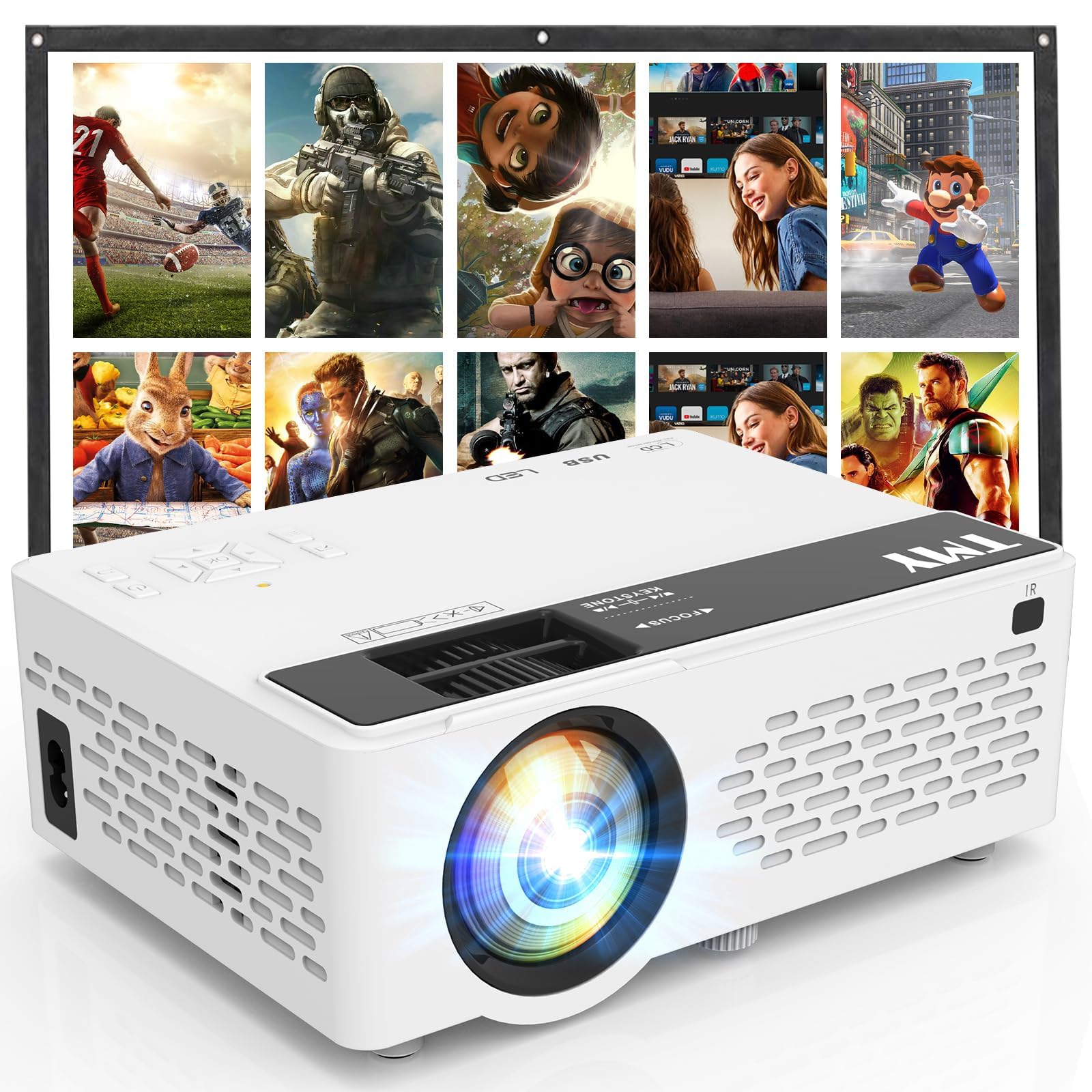
- Foldable projection screen comes with the projector.
- Supports gaming consoles including several popular systems.
- Bluetooth can connect external speakers or soundbars.
Best Gift For: A gamer who wants to set up console play or movie nights on a larger projected image.
SABRENT USB-C 6-Port Hub and M.2 SSD Dock

- Includes HDMI and Gigabit Ethernet connections.
- Internal M.2 slot supports SATA or NVMe SSDs.
- Designed for systems including portable gaming devices.
Best Gift For: A gamer using a compatible laptop or portable gaming device who needs more ports and storage options.
Choosing gifts for gamers by play style
When choosing gifts for gamers, start with how the person plays most often. A console player who joins voice chat may value an audio upgrade, while a PC player who adjusts controls constantly may appreciate input gear.
Someone who games on a handheld may care more about portability and ports.
Think about the part of their setup that causes friction. Do they share a network with several people, run out of desk space, or switch between gaming and calls?
A gift that solves a small, recurring annoyance can feel more personal than an accessory chosen only for its gaming label.
If you are unsure about their preferences, observe the setup or ask a friend who plays with them. Pay attention to platform, available desk space, and whether they already own similar gear.
For equipment that connects to other devices, verify compatibility before ordering.
Balancing the budget and the upgrade
Set a comfortable spending range before browsing, then decide whether you want one substantial upgrade or a smaller accessory that complements what they own. Gaming gear varies widely in price, and a higher cost alone does not tell you whether an item fits a particular player.
Consider what else might be needed to use the gift. A network upgrade, display accessory, or recording setup may depend on existing equipment, available connections, or room to install it.
Check current product details and compatibility, and account for any separate purchases the recipient would need.
For a modest budget, focus on a clear everyday benefit. A small improvement to audio, controls, or desk organization can be welcome when it suits the recipient’s setup.
For a larger gift, ask whether they would prefer one centerpiece item or help toward a setup change they have already planned.
Personalizing gifts for gamers
Personalization starts with the recipient’s habits, not a generic idea of what gamers like. For gifts for gamers, think about whether they play competitively, enjoy relaxed co-op sessions, stream, or regularly use a portable system.
That context helps you choose something that belongs naturally in their routine.
You can make a practical item feel personal with a short note that connects it to a shared memory: a favorite game night, a new streaming project, or a setup they have been improving. Keep the note specific and warm without suggesting they need to change how they play.
Presentation can suit the same theme without adding clutter. Use a simple gift bag, a small game-inspired card, or wrapping in colors they like.
If the item is bulky or requires setup, include a note offering to help arrange it together, while leaving the final choices to them.
A simple checklist before buying
Before placing an order, confirm the recipient’s main platform and the connections their current equipment supports. A product that looks suitable in a broad category may still be a poor fit if their device, desk, or audio setup cannot work with it.
When uncertain, check with someone who knows their gear.
Review the current product information for dimensions, compatibility, included accessories, and any extra items required. For mounting or desk equipment, compare the recipient’s space and existing hardware with the product requirements.
Check the live price yourself and decide whether it fits the budget you set.
If the exact setup is unclear, consider a gift receipt or a retailer option that gives the recipient flexibility. That can be useful for technology, where personal preferences and compatibility matter.
Keep the packaging intact until they have had a chance to confirm it works for their setup.
Last-minute gift planning
When time is short, narrow the choice to something whose fit you can confirm quickly. Check the product’s current compatibility details and the retailer’s delivery estimate at checkout; timing can vary by location and order.
Avoid guessing about delivery dates from older information.
Choose a gift that is easy to explain and useful beyond one narrow situation. An accessory for an existing gaming desk or a flexible audio option may be simpler to match than a complex setup change, provided it works with the recipient’s equipment.
If a physical gift may not arrive in time, give a card explaining the idea and let the recipient help choose the exact version. You can still make the moment thoughtful with a handwritten note about why you chose it.
That keeps the focus on their interests while allowing time to verify the details.