A developer’s setup can shape long hours of coding, calls, and focused work. The right gift might make a desk more comfortable, simplify a connection, or add a little enjoyment between tasks.
These 13 picks cover practical workspace gear, gaming and audio accessories, and compact tools for people who build software.
13 Gift Ideas for Developers
FIFINE T669 USB Studio Microphone Kit

- Connects to a PC or laptop through USB for plug-and-play recording.
- Includes an adjustable boom arm and a double pop filter.
- The cardioid capsule captures audio from the front while avoiding ambient noise.
Best Gift For: Developers who record podcasts, voiceovers, or online presentations.

SteelSeries Arctis Nova Pro Wireless Gaming Headset

- Can connect two systems at once and switch between them.
- Active noise cancellation automatically detects and deletes distracting noises around you.
- A spare hot-swappable battery charges in the base station.
Best Gift For: Developers who switch between PC, console, and mobile gaming or audio.
SteelSeries Apex Pro TKL Gaming Keyboard

- Offers adjustable actuation with 40 levels per key, from 0.1 to 4.0 mm.
- Lets users program two actions to the same key.
- The tenkeyless layout retains full-size functionality.
Best Gift For: Developers who enjoy PC gaming and personalized keyboard controls.
Audioengine A2+ Wireless Desktop Speakers

- Designed for nearfield listening on a desk.
- Supports wireless streaming and several wired connection types.
- Real wood cabinets reduce unwanted resonance, while custom-tuned drivers deliver clear vocals.
Best Gift For: Developers who want speakers for desk listening, calls, games, and music.
Nulaxy Pull-Out Height Adjustable Laptop Stand

- Adjusts laptop screen height from 1.2 to 20 inches for sitting or standing positions.
- Fits laptops from 10 to 17 inches.
- Folds for compact storage and transport.
Best Gift For: Developers who work at a desk and want to adjust laptop screen height.
SteelSeries Rival 5 Gaming Mouse

- The programmable layout has nine buttons, including five side buttons.
- Its optical sensor provides 1-to-1 tracking.
- The mouse weighs 85g.
Best Gift For: Developers who play battle royale, FPS, MOBA, or MMO games.
HUANUO FlowLift Single Monitor Mount

- Fits 13–32-inch monitors weighing 4.4–19.8 pounds and supports 75 × 75 mm and 100 × 100 mm VESA patterns.
- The arm supports tilt, swivel, and rotation adjustments.
- Includes a C-clamp and grommet mounting options.
Best Gift For: Developers who want to adjust a compatible monitor position at their desk.
TP-Link Archer AXE75 WiFi 6E Router

- Tri-band WiFi 6E includes 6 GHz, 5 GHz, and 2.4 GHz bands, with up to 5,400 Mbps WiFi.
- Tri-band and OFDMA technology are designed to enable simultaneous transmission to more devices.
- Supports both VPN server and VPN client functions.
Best Gift For: Developers looking to upgrade a home network for gaming, streaming, and calls.
SABRENT USB-C 6-Port Hub and M.2 SSD Dock

- Provides three USB-A ports for peripherals.
- Connects to an external display through HDMI 2.0.
- Includes an internal M.2 slot for an M.2 SATA or NVMe SSD, supporting 2242, 2260, and 2280 form factors.
Best Gift For: Developers who need extra laptop connections and portable storage options.
MAONO Wave T5 Mini Wireless Lavalier Microphone

- Offers plug-and-play use and independent noise reduction and mute buttons.
- Includes four one-tap voice filters.
- The charging case provides up to 40 hours of total use.
Best Gift For: Developers who create video tutorials, voiceovers, or podcasts.
LISEN Qi2 15W Ultra Slim MagSafe Battery Pack
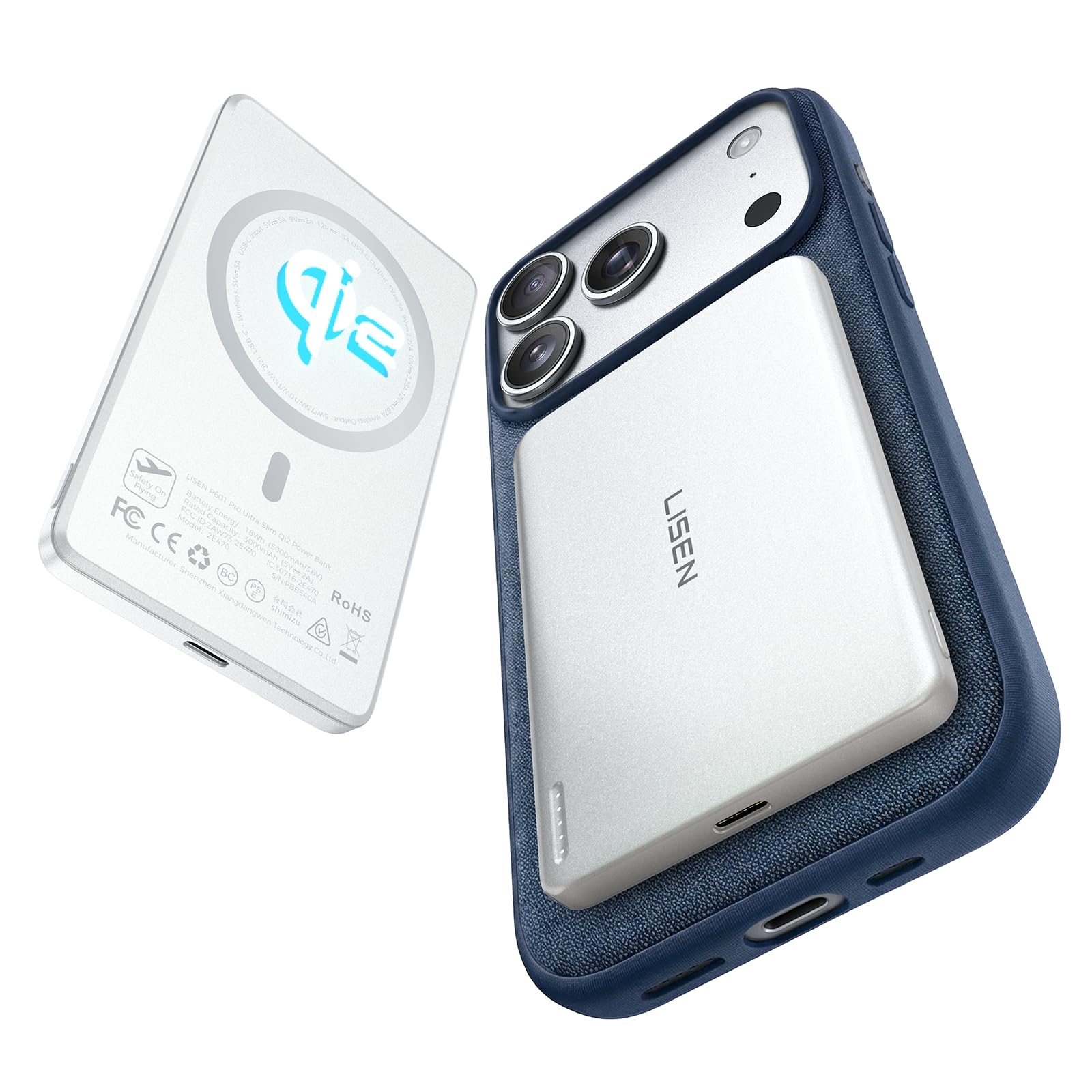
- Has a 5,000mAh capacity (3,000mAh rated capacity) and a slim 0.38-inch profile.
- Supports 15W Qi2 wireless charging.
- Magnetic attachment is intended for MagSafe-compatible phones and cases.
Best Gift For: Developers who want a compact magnetic charger for a compatible iPhone.
SABRENT USB-C and USB-A SD Card Reader

- Includes USB-C and USB-A connectors for supported devices.
- Has slots for SD and Micro SD card formats.
- The USB 3.0 interface supports transfer speeds up to 5Gbps.
Best Gift For: Developers who transfer photos or files from SD and Micro SD cards.
Nelko P21 Bluetooth Label Maker
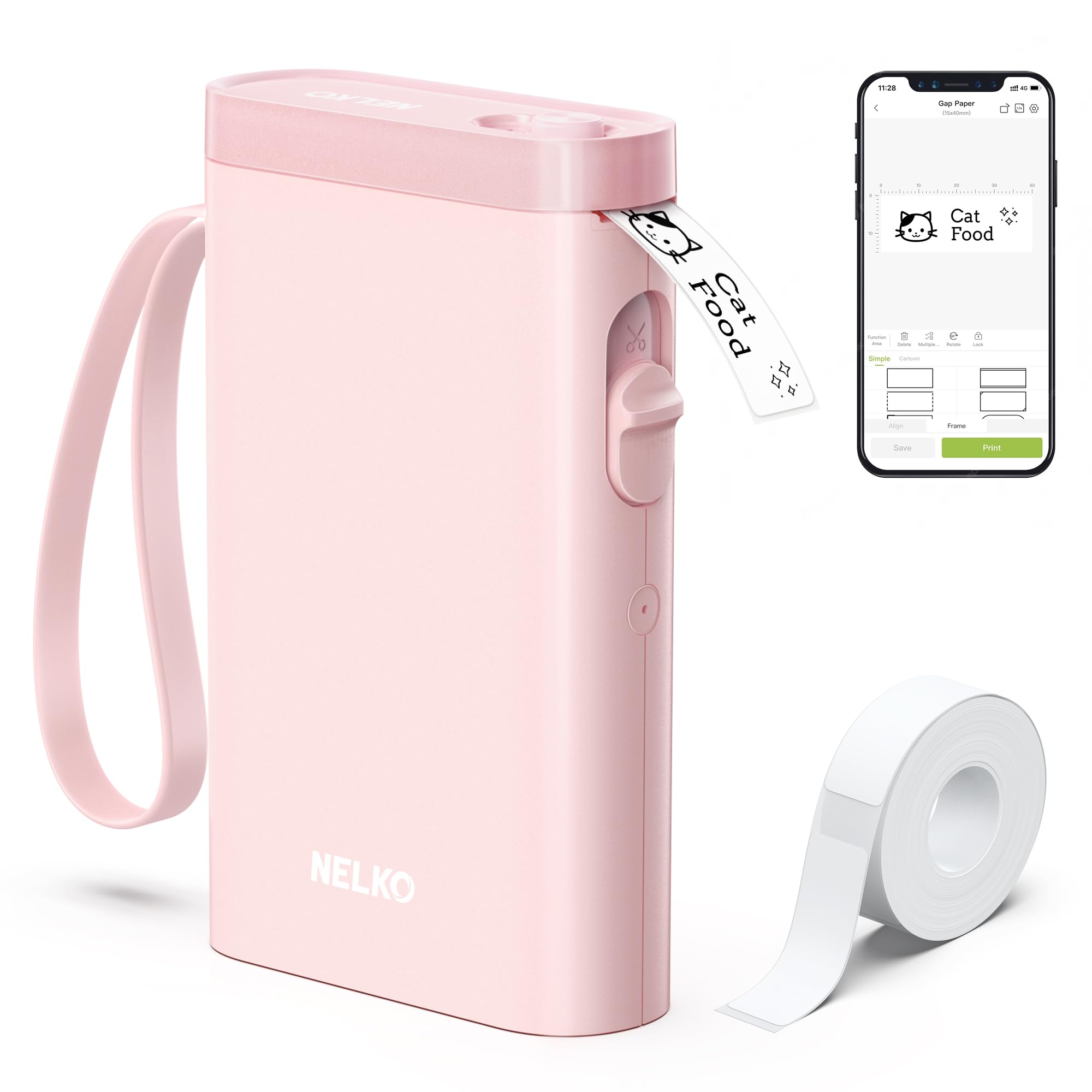
- Connects to iOS and Android phones over Bluetooth.
- Prints monochrome labels using direct thermal technology.
- The app offers templates and design features for custom labels.
Best Gift For: Developers who enjoy organizing cables, supplies, or office storage.
Choosing gifts for developers that fit their routine
When choosing gifts for developers, start with the moments their work setup makes easier or harder. Someone who spends the day at a fixed desk may appreciate a more adjustable workstation, while a person who moves between home, office, and shared spaces may get more use from a compact connection or file-transfer accessory.
Consider how they actually spend time at the computer. A developer who records demos or teaches online has different needs from one who mostly codes quietly, and someone who unwinds with games may enjoy a different kind of desk upgrade.
A casual conversation about current annoyances can reveal a useful clue.
Shared workspaces call for considerate choices. Audio gear can be a welcome addition for a private office, while a headset or a small desk accessory may suit someone working around others.
Think about the recipient’s existing equipment and daily habits before choosing a large or specialized item.
Balancing budget and usefulness
These gifts span small practical accessories and larger workstation or network upgrades. For gifts for developers on a tighter budget, a useful everyday tool can feel thoughtful without making the gift feel undersized.
For a bigger occasion, consider whether a more substantial upgrade solves a regular problem the recipient has mentioned.
Avoid judging value by feature count alone. A product is more likely to earn its place when it fits the person’s actual computer, desk, and routine.
Before ordering, check current prices and the recipient’s compatibility needs, including connection types and any required accessories.
A shared gift can make a higher-cost upgrade possible when several people contribute. Agree on the intended use first, then confirm the recipient has space for it and wants that kind of equipment.
This keeps the choice personal and reduces the chance of giving a technically impressive item that stays unused.
Make the gift feel personal
Personalization begins with noticing the details of someone’s setup. Does their desk need more room, do they often move files between devices, or have they started recording walkthroughs?
For gifts for developers, tying the choice to a real habit makes even a practical tool feel considered.
You can add a short note naming the moment you had in mind: focused work, a more comfortable desk, or a smoother way to share a project. Keep the message warm and specific, without suggesting that their current setup is inadequate or that they need to work longer.
Presentation can make a compact tech gift feel complete. Wrap the item neatly, include a handwritten card, and, when useful, add a small accessory that is confirmed to fit.
Check compatibility before including cables or adapters, and avoid buying add-ons based only on appearance.
Shopping details to check before ordering
Check the recipient’s computer, phone, operating system, and existing connections against the product details. Some gifts depend on a particular port, mounting arrangement, or supported device.
Verify those points, along with dimensions and desk space, before choosing; a quick check can spare the recipient an awkward return.
For adjustable equipment, check the desk or monitor setup as well as the device itself. A mount may require a certain attachment point, and a stand needs to fit the available surface.
For charging accessories, confirm the phone and case are compatible with the connection style.
If you are buying close to an occasion, review the current delivery estimate before checkout and choose a seller option that suits your timing. Keep the packaging and gift receipt where available, so the recipient can handle a fit or compatibility mismatch.
Current prices and availability can change, so check those details at the time you buy.
Last-minute gifts for developers
For last-minute gifts for developers, pick something whose purpose is easy to understand and whose compatibility is straightforward to verify. A small accessory can be easier to wrap and fit into a busy week, while a larger desk upgrade may need extra attention to measurements and setup.
Before checkout, recheck the selected model, connector, and any device requirements. Look at the latest delivery estimate rather than assuming a particular arrival date.
If timing is uncertain, a card explaining the intended gift can preserve the occasion while you confirm the right fit.
A useful last-minute choice still benefits from a personal touch. Add a note that connects it to a project, a daily work habit, or a way the person relaxes after coding.
That small detail helps the gift feel chosen for them, even when you made the decision quickly.